

Booking a Meeting Room Shouldn’t Be This Hard

You’ve got a meeting to run, a quick brainstorm with your team, or maybe you need a quiet space for a call.
But instead of getting started, you’re stuck roaming the floor trying to find a room that isn’t:
- Already (even though it says it’s free)
- Empty but “booked”
- It’s impossible to locate because it has cryptic names like “Orion 4.”
It isn’t very pleasant, unnecessary, and exactly what UMA was built to fix.
The Everyday Booking Pain (You're Not Imagining It)
Let’s call it out:
- Ghost bookings: The room’s booked all day, but no one turns up.
- Double-ups: You walk into your booked space… and someone else is in it.
- There are too many tools, such as booking systems, that feel like a full-time job to navigate.
- Poor visibility: You don’t know what’s nearby unless you look physically.
- I have no clue what you’re walking into. Is the room big enough? Does it have a screen? Can I take a call in there?
If you’ve had any of the above, you’re not alone and UMA gives you a smarter, simpler way to avoid all of it.
What a Good Booking Experience Should Feel Like
Whether you’re a hybrid, full-time in the office, or popping in for one day a week, booking a meeting room should take less time than finding a decent coffee.
Here’s what it should look like:
🔍 You can see what’s free and when
Live availability is right on your screen. There is no guesswork, and there is no need to hover near rooms with a “just checking” face.
🗺️ You know exactly where you’re going
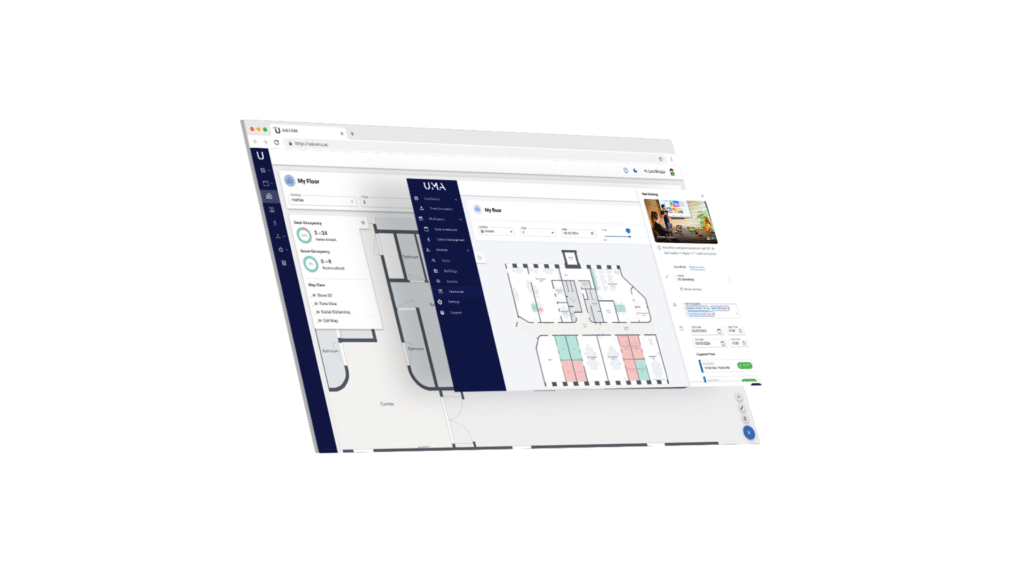
UMA’s floor maps show you where the room is, what’s nearby, and what kit it includes (screen, camera, whiteboard, etc). You can filter by what you need.
⏱️ You can book instantly—or plan ahead
Need a room now? Tap and go. Need something next Tuesday with space for eight and a screen? Book it in seconds straight from your calendar.
📲 You get confirmation, check-in, and smart nudges
UMA sends reminders, checks you in when you arrive (with one tap or via sensor), and frees up the room if you don’t show up. Fair and simple.
What UMA Changes for You
UMA isn’t just a tool it’s the difference between “Why is this so hard?” and “Sorted in 10 seconds.”
Here’s what you’ll notice:
- Less time wasted finding a room
- No more awkward overlaps or walk-ins
- You always know what you’re getting no surprises
- If plans change, it’s easy to cancel or rebook
- Rooms get released if they’re not being used, so space is available
UMA works through platforms you already use (like Microsoft 365 or Google Calendar), or you can use UMA’s interface. Either way, it keeps things simple.
Real Example: The "Where Can We Meet?" Moment
Let’s say it’s 11.40 am. Your team wants a quick 20 minute catch-up before lunch.
You open UMA on your phone or desktop.
You spot a free room down the corridor with space for four people and a screen. You tap “book,” and it’s yours. The system checks you in as you arrive. Did you finish early? Great UMA automatically releases the rest of the time for someone else.
No drama. No double bookings. It is just easy, visible, flexible space usage.
It's About Time Your Office Worked Around You
UMA was built to remove the friction from workplace coordination so you can focus on what matters: the people, the conversations, and the work.
So, whether you’re back in the office full-time, once a week, or somewhere in between, you should be able to:
- Book a room without stress.
- See where your teammates are sitting.
- Find the nearest space that fits your needs.
- Know the tech is ready to go.
Because modern workplaces should work for you, not the other way around.
Want to see it in action?
Ask your office team about UMA, or explore askuma.ai for a quick demo.
UMA. Smart booking. Sorted.
